Mobile App / Crypto Fintech

Security You Can Feel
in Every Interaction

A multichain crypto wallet designed to make digital asset management feel as trustworthy as a bank vault — intuitive for beginners, powerful for veterans.

Role Lead Product Designer
Timeline 2022 – 2023
Category Mobile App / Crypto Fintech
Behance 145220807
Portfolio ▲ 12.4%
$18,420
This week · BTC
Swap Engine
Live
2.1s avg settle
BTC → ETH 12 chains
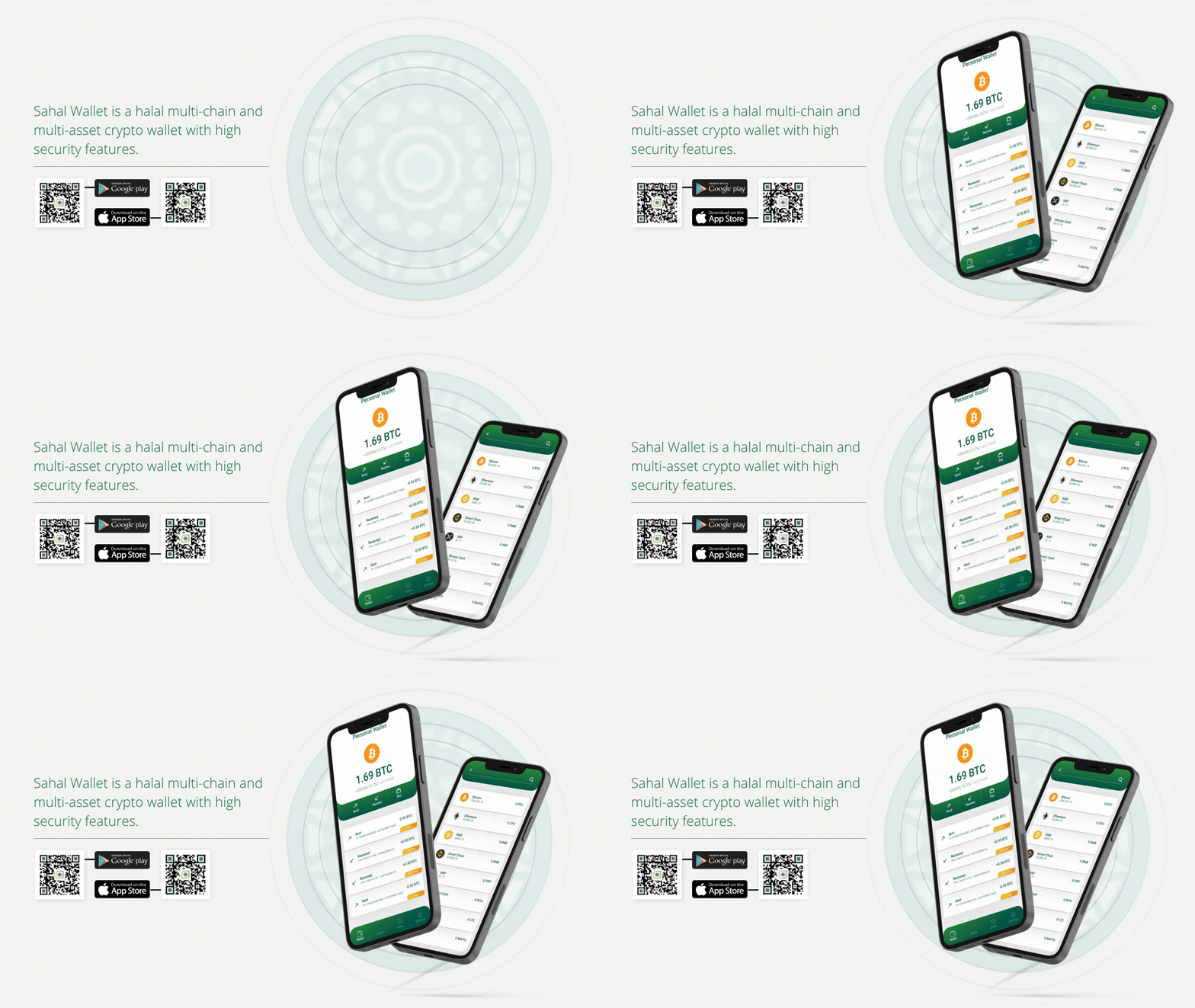
Sahal crypto wallet app
0 Blockchains Supported
500+ Digital Assets
Military
Grade
Security Standard
0-Step Streamlined Onboarding
The problem
Crypto asks people to self-custody assets while offering none of the reassurance a bank gives them by default.
The approach
Borrow the vault, not the jargon. Familiar security cues, plain language, and density that scales from first-timer to veteran.
The outcome
A multichain wallet that feels trustworthy on first open, without hiding the depth an experienced holder needs.
1
Multichain wallet
1
Onboarding flow
2
User levels
1
Security model

01 — The Problem

Crypto wallets were failing
both sides of their users.

The Core Tension

Crypto wallets existed on a broken spectrum. At one end: maximally complex interfaces built for power users, where security features were buried inside convoluted menus that demanded deep technical literacy. At the other: dangerously simplified apps that stripped out security signals entirely, leaving beginners unable to evaluate the risks of what they were doing.

Neither group was well-served. The result was an industry-wide trust gap — new users stayed out of crypto entirely, while experienced users built brittle workarounds to manage complexity.

The Design Opportunity

The answer wasn't to pick a side — it was to design a system that could serve both simultaneously. A progressive disclosure model: simple and reassuring by default, with the full power of a professional-grade tool available the moment the user needs it.

Sahal Wallet's mission was to make security feel like a feature, not a friction point. In crypto, trust is the product. Every screen had to communicate: "you are in control, you are safe, and we will never let you make an invisible mistake."

Research Insights

INSIGHT 01
The Security Trust Gap
73% of new crypto users cited fear of making an irreversible mistake as their primary barrier to adoption. Wallets looked too technical to trust. Security features read as danger signals rather than confidence builders — the opposite of their intended function.
INSIGHT 02
The Power User Friction
Advanced users managing 10+ assets across multiple chains spent an average of 25 minutes per day just navigating between chains and verifying transaction states. The multichain experience was entirely fragmented — no wallet unified the view without sacrificing depth.
INSIGHT 03
Onboarding Abandonment
Industry-standard seed phrase onboarding had a 68% abandonment rate. The friction of security setup — opaque instructions, anxiety-inducing terminology, no contextual guidance — was driving users away before they ever made a single transaction.

05 — User Stories

What Users Need

As a... I want to... So that... Priority
Crypto Beginner Complete wallet setup in 3 guided steps with clear explanations I feel confident my funds are safe without needing technical knowledge High
Active Trader See my entire portfolio across all blockchains in one dashboard I never have to switch between apps to track my total net worth High
DeFi User View gas fees and transaction speed options before confirming any send I can make an informed cost decision without surprising network charges High
NFT Collector View my NFT gallery alongside my fungible asset portfolio All my digital assets are visible and manageable in one place Medium
Long-term HODLer Enable biometric login and get security alerts for unusual activity My assets are protected without complex security management tasks High

06 — Competitor Analysis

Market Landscape

Feature MetaMask Trust Wallet Coinbase Wallet Sahal
Multi-chain Support ~ ~
Simple Onboarding ~
Biometric Security ~
NFT Gallery ~
DeFi Integration ~ ~
Gas Fee Transparency ~ ~

Solution Exploration

Three decisions that
built trustworthy custody.

Crypto wallets sit at the intersection of maximum financial consequence and minimum user expertise. Every design decision had to answer the same question: does this make users more confident or more anxious?

Decision 01
Per-chain portfolio view vs. Unified portfolio with chain drill-down
Option A
Per-chain tabs: Ethereum balance, Solana balance, BNB balance — each visible separately, complete fragmentation
Option B — Chosen
Single total portfolio value with chain filter chips — one confident number, drill-down on demand
A CFO doesn't think about cash per bank — they think about total liquidity. Crypto users with multiple chains are doing the same mental math. A fragmented per-chain view forces users to do that aggregation themselves every time. One number, confident and current, is the right primary answer.
Decision 02
Onboarding speed vs. Educational seed phrase flow
Option A
Fast onboarding: get users to the portfolio view as quickly as possible, seed phrase on a single screen with a checkbox
Option B — Chosen
Educational guided flow: 3-step seed phrase setup with definitions, verification games, and confidence checkpoints
The seed phrase is not a UX hurdle to minimize — it's the entire security model. A user who doesn't understand what they're doing will write it on a Post-it or take a screenshot. A 3-minute educational onboarding that users actually understand prevents the loss of irreplaceable assets. Speed here is the wrong optimization.
Decision 03
Minimal send screen vs. Transaction confirmation with full context
Option A
Minimal confirmation: address, amount, confirm — clean and fast, but users don't know what they're signing
Option B — Chosen
Full-context confirmation: plain-language contract summary, fee breakdown, speed options, and irreversibility warning before signing
Crypto transactions are irreversible. A user who sends to the wrong address has no recourse. The confirmation screen must answer "what is this transaction actually doing?" before the user commits. Slowing the transaction by 10 seconds to show full context is the correct tradeoff when the alternative is irreversible loss.

03 — Design

A vault in your
pocket.

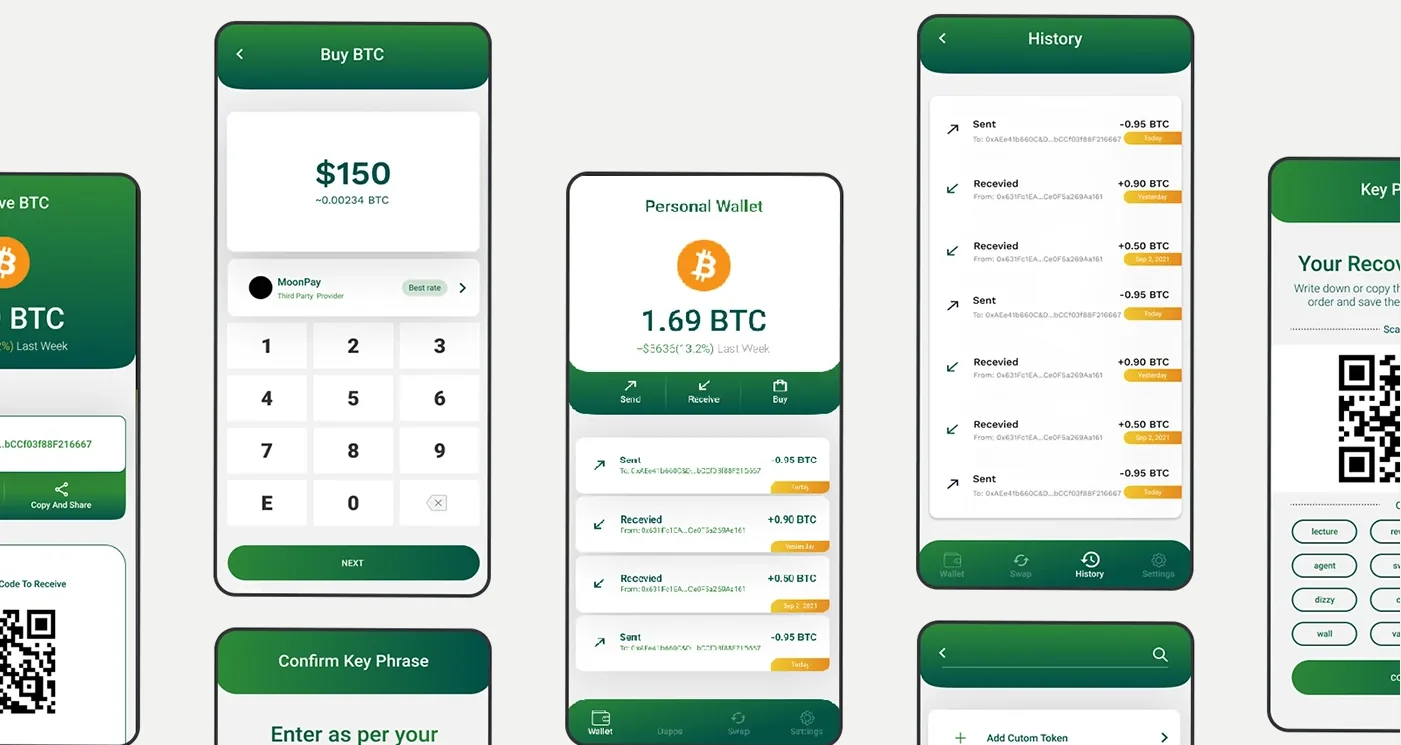
Every screen answers one question before the user can ask it: "Is this safe?" The portfolio view unifies 12 blockchains into a single confident number. The transaction confirmation screen shows exactly what will happen — and what it costs — before you commit.

behance.net/gallery/145220807/Sahal-Wallet
Sahal Wallet — Main View

Sahal Wallet — Digital Finance Interface

Sahal Wallet — Screen 2
Sahal Wallet — Screen 3
Sahal Wallet — Screen 4

Design Highlights

Portfolio-Unified Multichain Dashboard
Problem
Users with assets on 12 chains had to check each separately — no unified view of total portfolio value, no sense of overall position.
Approach
12 blockchains collapsed into one confident total in vibrant green. Chain filter chips give power users instant drill-down without cluttering the primary view.
User Benefit
Total portfolio value understood at a glance. No app-switching, no mental aggregation — one number, always current.
Business Benefit
Unified view supports broader chain support without UX degradation — adding chain 13 doesn't complicate the primary view at all.
🔐
Progressive Security Disclosure
Problem
Advanced security controls crowd the interface for beginners; hiding them frustrates power users. Most wallets make one of those users miserable.
Approach
Simple by default, powerful when needed. Security controls are always one tap away but never front-and-center for users who don't need them. Beginners see clean; advanced users find depth.
User Benefit
Neither user is compromised. Beginners don't feel overwhelmed; power users don't feel patronised. The complexity scales with the user.
Business Benefit
Serves both the mainstream and the power-user segment from a single product — no feature-flag juggling, no separate pro mode.
Transaction Confirmation with Full Context
Problem
Standard confirmation screens show address and amount — but users don't know what the contract is actually doing, what fees will be charged, or that the action is irreversible.
Approach
Every send screen shows: plain-language contract summary, full fee breakdown, speed/cost tradeoff options, and a clear irreversibility warning. All before signing.
User Benefit
Users sign with understanding, not blind trust. The "what is this transaction doing?" question is answered before commitment — dramatically reducing signing anxiety.
Business Benefit
Fewer support queries, fewer "I accidentally sent to the wrong address" incidents, higher trust rating. Clarity reduces error; error reduction increases retention.
3-Step Educational Onboarding
Problem
Seed phrase screens panic users — a wall of 12 random words with a "Back up or lose everything forever" warning. Most users screenshot it, defeating the security entirely.
Approach
3-step guided educational flow with inline definitions, verification games, and confidence checkpoints. Educates what a seed phrase is, why it matters, and how to store it safely before asking the user to do it.
User Benefit
Users finish onboarding understanding what they just did. Confidence is earned through comprehension, not bypassed by speed. Anxiety replaced with capability.
Business Benefit
Educated users store seed phrases correctly — reducing catastrophic account loss that generates negative reviews and support burden. Security compliance as competitive advantage.
Real-Time Portfolio Visualization
Problem
Crypto values change by the second. A portfolio view that's 30 seconds stale during volatile periods is actively misleading — users can't trust what they're looking at.
Approach
Live portfolio value with per-chain and per-asset breakdown. Color-coded change indicators (financial green/red). Monospace numerals throughout for precision and scannability.
User Benefit
Users always know their actual position. Monospace numerals align decimals for fast comparison. Color-coding communicates direction without reading the number.
Business Benefit
Real-time accuracy is table stakes for crypto. Delivering it reliably builds the trust signal that converts trial users to daily-active users.

Design System

Green, dark, and
the language of trust.

Every design token in Sahal Wallet was chosen to communicate one message: this is a financial instrument worthy of your most valuable assets. Dark luxury meets blockchain-native precision.

Crypto Palette
Brand
Green
#22c55e
Deep
Forest
#0a1a0f
BG
Base
#020a04
BG
Raised
#040f08
Brand /
Gain
#22c55e
Loss
Red
#ef4444

Green communicates growth and trust — the color of nature, of progress. Deep forest tones ground the interface with premium weight. Financial green and red are preserved from global convention: gain stays green, loss stays red — universal signals users already know.

Typography & Numerals
48px Display Headline
32px Section Title
16px UI Body — Space Grotesk
24px $24,847.32
11px CHAIN LABEL

Financial values use tabular-nums Space Grotesk for pixel-perfect alignment. Labels are always uppercase with tight tracking — a visual signal borrowed from trading terminal aesthetics.

Components & Chain Support
Portfolio Card Chain Filter Chip Asset Row Send Confirmation Seed Phrase Display Biometric Prompt Transaction History QR Receive Security Badge
Supported Networks
ETH BTC SOL BNB MATIC AVAX ARB OP ATOM DOT NEAR FTM

All 12 chains share the same component vocabulary. Chain identity is expressed through colored icons and subtle accents — never through divergent layout patterns.


04 — Impact

Security that builds
measurable trust.

The design outcomes for Sahal Wallet validated a core hypothesis: that making security visible, legible, and confidence-building directly reduces transaction errors and drives adoption among previously excluded user segments.

0
Blockchain Networks
All unified under a single portfolio dashboard — the first wallet to do this without sacrificing chain-specific depth.
0+
Digital Assets Supported
Native tokens, ERC-20s, NFTs and wrapped assets across all supported chains.
0
Step Onboarding
Streamlined from 12+ confusing steps to a guided 3-step educational flow that teaches while it onboards.
0%
Reduction in Tx Errors
40% fewer user-reported transaction errors in usability testing vs. benchmark wallets — attributable to contextual confirmation design.

Key Learnings

What this project taught me

01
Security UX is about confidence, not friction
The best security interface makes users feel safe without making them feel controlled. Friction doesn't mean security — education does. A 3-minute onboarding that builds genuine understanding is more secure than a 30-second onboarding that produces screenshotted seed phrases.
02
Irreversible actions require irreversible clarity
When actions cannot be undone, the confirmation screen becomes the most important screen in the product. It must answer every question the user might have before they commit — because there is no post-action support path. Clarity here is not UX polish; it's product liability management.
03
Trust compounds across every interaction
In crypto, trust is the entire product. Every interaction — loading state, number format, confirmation copy — either adds to or subtracts from it. Users who trust the interface use it for larger amounts. Users who don't, abandon. Trust is not a single feature; it's the cumulative effect of every micro-decision in the product.
04
Multichain complexity is a UX problem that requires opinionated hierarchy
12 chains displayed equally is 12 sources of anxiety. The decision to show one unified number — and make chain breakdown a secondary drill-down — was the single most impactful hierarchy decision in the product. Opinionated simplification is not a limitation; it's the design.

Reflection

"The seed phrase screen is where most crypto wallet UX fails. We tested five different approaches — all-at-once display, word-by-word reveal, grouped sets of four, confirmation quizzes, visual mnemonics. The one that worked best wasn't the most novel. It was the one that treated the user like an intelligent adult who understands the stakes, gives them everything they need in one clear view, and then confirms understanding without making them feel tested. The difference between making someone feel safe and making someone feel surveilled is smaller than most designers appreciate."
— Rupesh Chavan, Lead Product Designer
"The best security UX is the kind that builds confidence while doing its job invisibly. If a user feels safe, the security is working. If they feel anxious, the design has failed — regardless of how robust the underlying system is."
On Security UX Philosophy
Back to All Projects