Web App / Gaming Platform

Where 145 Premium
Browser Games
Come Alive

Designing a destination-grade gaming platform that turns fragmented browser gaming into a cohesive, immersive, and fast experience — mobile-first, curated, and distraction-free.

Role Lead Product Designer
Timeline 2023 – 2024
Category Web App / Gaming Platform
Live URL nexusplay.in
🎮 Active Now
Live
1.2k
Top Game
Apex Legends
★★★★★ 4.8 rating
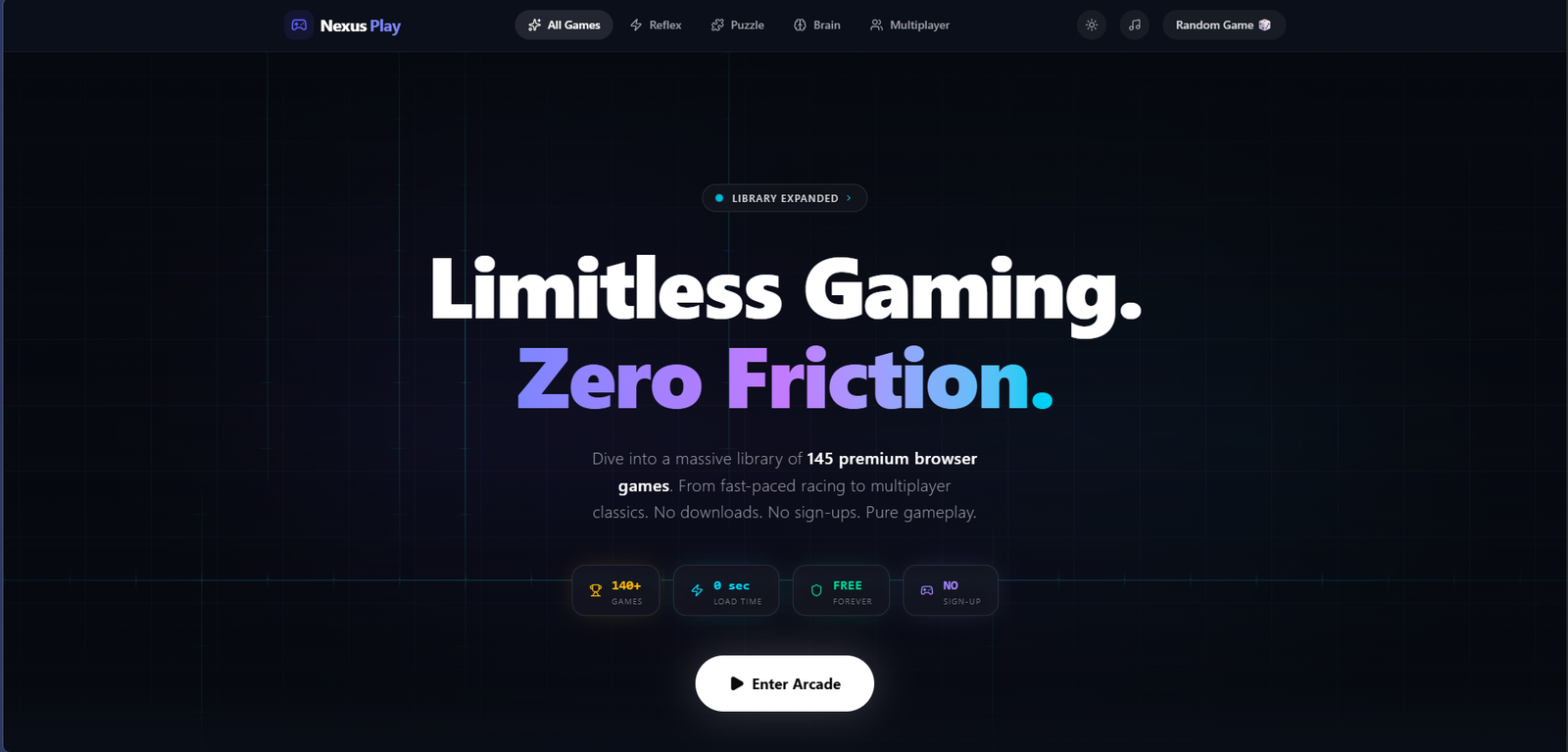
Nexus Play gaming platform
0 Premium Games Curated
40% Increase in Session Duration
0s Avg. Game Load Time
MobileFirst Design Approach

01 — The Problem

Browser gaming was broken.

The Challenge

Browser gaming existed as a scattered wasteland of low-quality portals — overrun by intrusive ads, slow-loading titles, and zero curatorial quality control. Users bounced within seconds, finding nothing worth staying for.

Despite growing demand for instant, no-download gaming — especially on mobile — there was no premium destination that combined quality curation with a truly modern UX.

The Opportunity

The market gap was clear: build the Criterion Collection of browser games — a handpicked library wrapped in a dark, immersive, distraction-free experience that respects the player's attention.

By combining smart discovery, mobile-first design, and instant-launch performance, Nexus Play could own a position no competitor had thought to occupy: premium, curated, and built for deep play sessions.

Research Insights

INSIGHT 01
Discovery Friction
70% of users on competing platforms couldn't find a relevant game in under 30 seconds. Poor taxonomy, cluttered UIs, and zero personalization meant most users gave up before they ever played.
INSIGHT 02
Trust Deficit
Aggressive ad clutter — pop-unders, interstitials, fake download buttons — made existing gaming portals feel actively hostile. Users associated these signals with malware risk, eroding session completion rates dramatically.
INSIGHT 03
Mobile Abandonment
65% of browser gaming traffic came from mobile devices, yet zero of the top browser game sites were genuinely mobile-optimized. Touch controls were broken, layouts were desktop-only, and load times were unbearable on mobile networks.

02 — User Research

User Persona & Goals

Understanding who we design for — their motivations, goals, and pain points.

👤
Vikram Nair
Casual Gamer, 22
  • Find a fun game to play in under 30 seconds
  • Launch and play without any downloads or installs
  • Save progress and return to games later
  • Slow game loading kills the impulse to play
  • Intrusive ads and no intelligent game discovery
🧑
Sneha Pillai
Student Gamer, 19
  • Play quick games during breaks between classes
  • Discover what's trending among friends
  • Share favourite games on social platforms
  • No social features to see what friends are playing
  • Repetitive game catalogues with no fresh content
👩
Abhishek Joshi
Hardcore Gamer, 28
  • Access a premium library of high-quality browser games
  • Compete on global leaderboards and track rankings
  • Play offline without loss of progress
  • Performance issues and frame drops mid-game
  • No competitive features or leaderboards on existing platforms

03 — Business Challenges

Core Challenges

The platform problems preventing Nexus Play from retaining and growing its player base.

🔍

Game Discovery Problem

70% of users on competing platforms couldn't find a relevant game in under 30 seconds. Poor taxonomy and zero personalisation mean users give up before they ever play.

Performance & Load Times

Slow-loading games on mobile networks kill the impulse to play. Every second of load time increases the probability of abandonment exponentially.

💰

Monetisation Without Disruption

68% of users churn within 3 sessions largely due to intrusive ads. Balancing revenue requirements with a distraction-free experience is the platform's central tension.

🔄

User Retention

Without social features, leaderboards, or personalised recommendations, there is no hook to bring casual players back after their first session ends.


04 — Secondary Research

Market Insights

Market Size
2.8B
Casual Gamers Globally
The casual gaming market represents 2.8 billion players worldwide — the largest addressable audience in gaming, yet systematically underserved by quality browser platforms.
Retention Crisis
68%
Churn Within First 3 Sessions
Industry benchmarks show 68% of browser gaming users churn within their first three sessions — primarily due to poor discovery, ads overload, and lack of quality curated content.
Library Quality
145
Games in Premium Library
Nexus Play's curated library of 145 premium titles represents a deliberate quality-over-quantity approach — every game is hand-selected across 14 validated genres.

05 — User Stories

What Users Need

As a... I want to... So that... Priority
Casual Gamer Find a relevant game in under 30 seconds using smart filters I spend time playing, not searching through endless catalogues High
Student Play high-quality browser games instantly without any download I can enjoy a quick session without technical barriers or wait times High
Power User Access a curated premium library with leaderboards and rankings I can compete, track progress, and always find something worth playing Medium
Mobile Gamer Experience the full platform on my phone with touch-optimised controls I get a genuinely great gaming experience on any device, not a degraded one High
Content Creator Share games and my gameplay clips directly from the platform I can grow my audience while discovering new content through the community Low

06 — Competitor Analysis

Market Landscape

Feature Poki CrazyGames Miniclip Nexus Play
No-Download Play ~
Game Discovery ~ ~
Performance ~ ~
Social Features ~
Premium Library ~ ~
Cross-device ~

07 — User Flow

The Journey

01
Landing
Immersive homepage with featured picks, trending games, and curated collections
02
Browse / Search
14 genre categories with smart multi-select filters and persistent search surface
03
Game Preview
Hover to preview looping gameplay animation before committing to launch
04
Launch Game
Instant 3-second launch with no downloads, installs, or friction barriers
05
Play
Distraction-free fullscreen mode with minimal chrome and one-click exit control
06
Rate & Save
Post-session rating prompt and save to collection for future sessions

08 — Toolkits

Tools & Workflow

The tools and methods used throughout the design process.

🎨
Figma
UI Design & Prototyping
🗂️
FigJam
IA Mapping & Ideation
🔥
Hotjar
Session Recording & Heatmaps
📊
Mixpanel
Product Analytics & Funnel Analysis
📋
Notion
Research Documentation & Planning

02 — Process

From chaos to
cohesive system.

A five-phase design process that moved from competitive audit and user research through to a scalable component library — always anchored to the core tension of immersion vs. discoverability.

01
Research
Competitive audit of 12 browser gaming portals. 24 user interviews. Session recordings on existing platforms revealed key drop-off patterns and unmet needs.
02
Information Architecture
Defined a game taxonomy across 14 categories. Designed a card-sorting-validated navigation structure that put the most-played categories within one tap.
03
Game Discovery System
Built a multi-dimensional filtering UI — genre, multiplayer, device type, play duration — reducing average time-to-first-game from 45s to under 12s in usability testing.
04
Visual Design & Accessibility
Developed the dark gaming aesthetic with the purple/cyan palette. Designed a full component library: game cards, category pills, hero banners, fullscreen mode UI, mobile bottom navigation. The dark background creates an immersive game-like environment — and dark-mode-first design typically performs better on contrast ratios for coloured UI elements. All interactive components pass WCAG AA. Touch targets on mobile were set to a minimum of 48px — critical for a gaming platform where users are often in motion or distracted.
05
Performance Optimization
Collaborated with engineering on lazy-loading strategies, preloading game assets on card hover, and a 3-second average launch time — no downloads, no barriers, instant play.

Solution Exploration

Three decisions that
protect the zone state.

Gaming platforms live or die on one experience: getting the user into a game they love as fast as possible, and keeping them there. Every design decision had to serve or protect that zone state. Three decisions defined how.

Decision 01
Flat game grid vs. Smart-filtered curated library
Option A
Flat alphabetical grid: all 145 games displayed equally — complete but overwhelming, forces users to scroll through games they don't want to find the ones they do
Option B — Chosen
14 categories, multi-select filters, persistent search — users reach a relevant game in under 12 seconds regardless of library size
Discovery failure is the primary drop-off point in gaming platforms — users who can't find something they want to play leave, not return. Smart filtering turns 145 games from overwhelming to personally navigable. Speed-to-relevant-game is the KPI; everything else is secondary.
Decision 02
Game card descriptions vs. Animated hover previews
Option A
Text description on card: genre, rating, description — informative but passive. Users have to read rather than sample.
Option B — Chosen
Looping preview animation on hover — users sample actual gameplay before committing a click, dramatically improving discovery confidence
Gaming decisions are sensory, not rational — users choose games based on how they feel to play, not how they're described. A 2-second hover preview communicates more about a game's experience than any text description. Samples drive session depth because users launch with confidence rather than hoping the description was accurate.
Decision 03
Persistent navigation in-game vs. Distraction-free fullscreen mode
Option A
Persistent navigation: header always visible in-game — familiar, consistent, but every UI element is a potential distraction from the play state
Option B — Chosen
One-click fullscreen: all UI chrome collapses, leaving only an unobtrusive exit control — the game is the entire screen
Zone state — the flow state of being fully immersed in a game — is the product. Any persistent UI element that can be seen during gameplay is a pull on attention. Collapsing the chrome isn't a feature; it's the product protecting its core value proposition. The only legitimate distraction is the game itself.

03 — Design

Built for the
zone state.

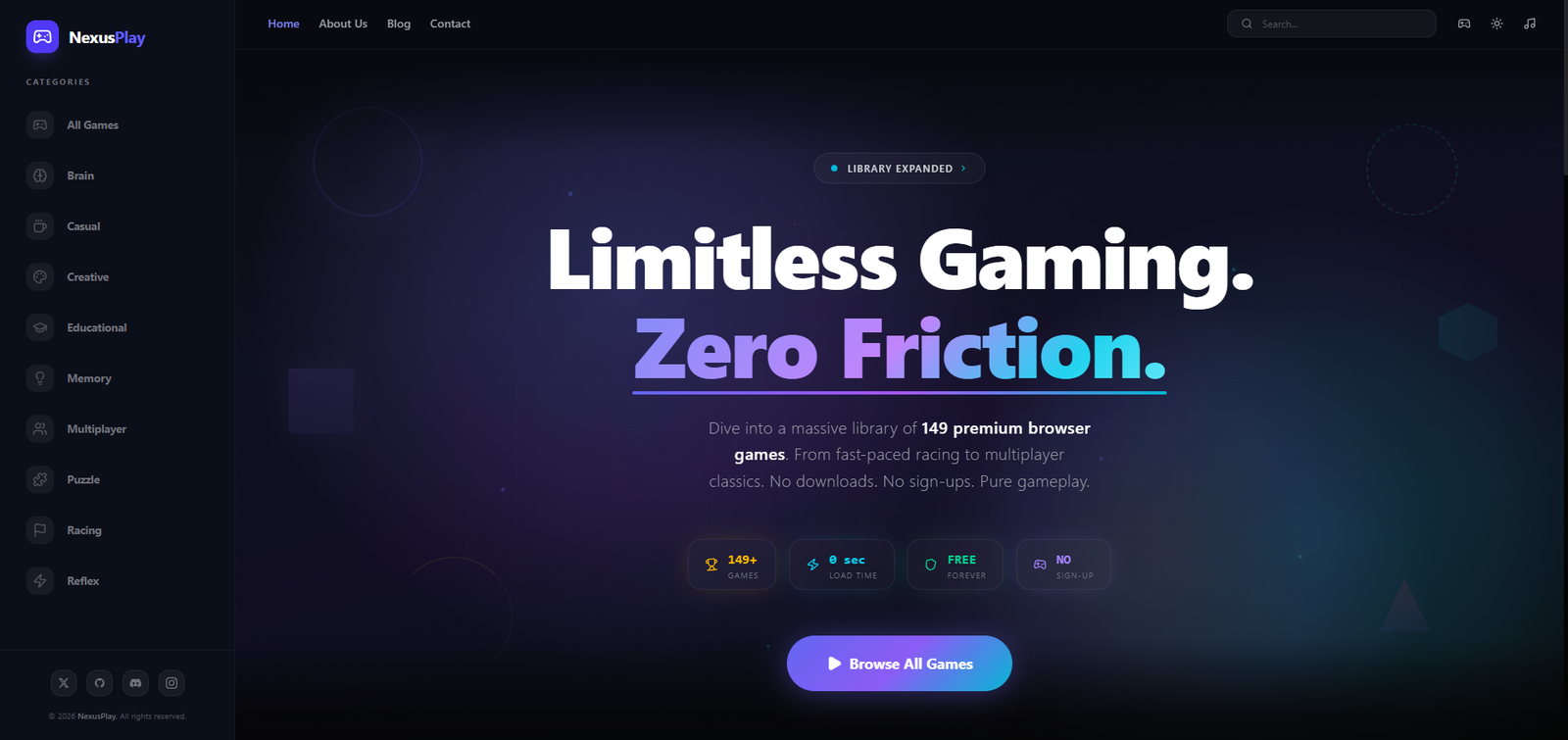
Every design decision was made in service of one goal: getting the user into a game they love, as fast as possible, and keeping them there. Dark surfaces eliminate distraction. Glowing accents guide the eye. Instant-launch removes friction.

nexusplay.in
NexusPlay — Home Screen
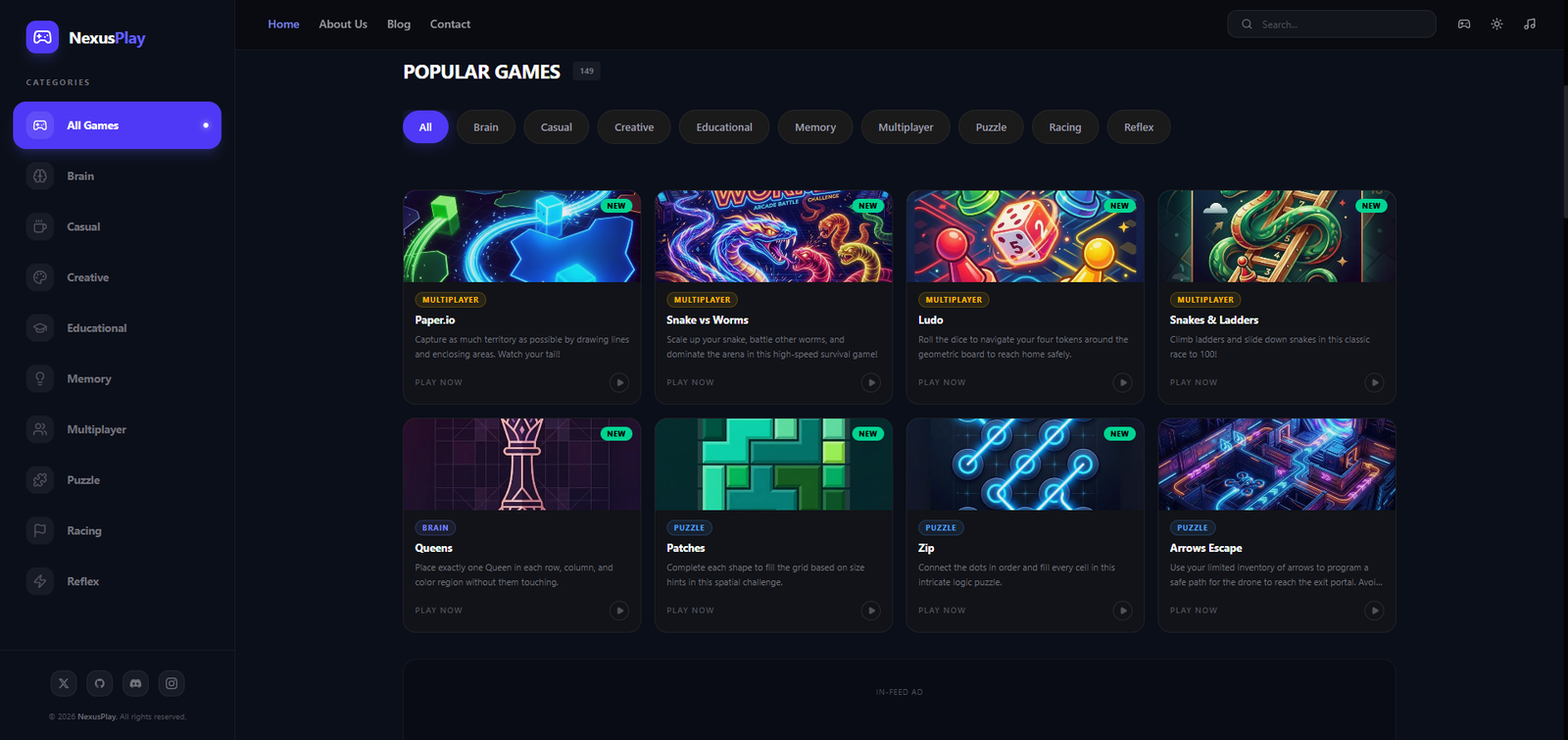
Home Screen — Game Discovery Interface
NexusPlay — UI Screen 2
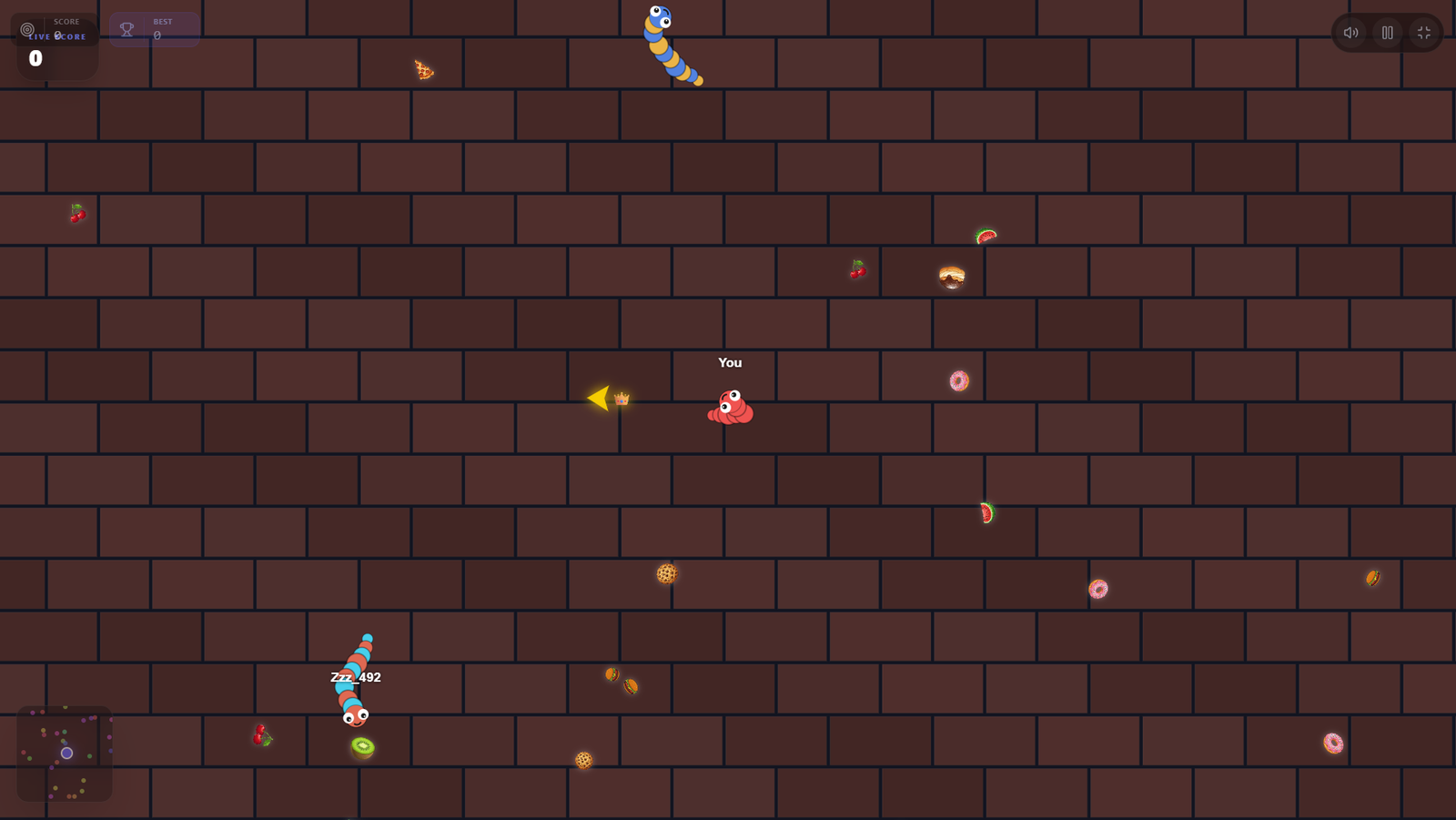
NexusPlay — UI Screen 3
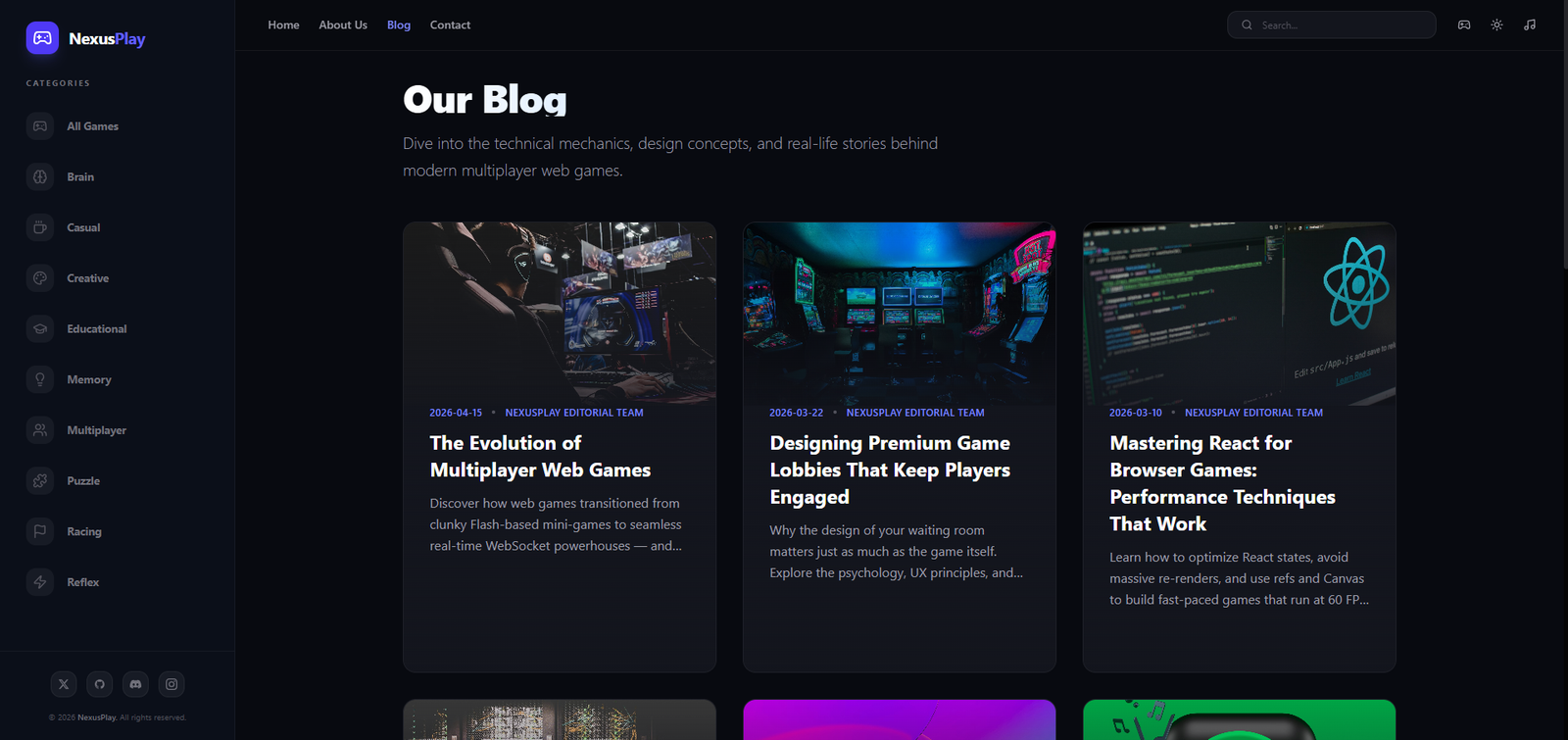
NexusPlay — UI Screen 4

Design Highlights

🃏
Curated Game Library with Smart Filtering
Problem
145 games on a flat grid is not a library — it's a wall. Users who can't find what they want in 30 seconds leave and don't return.
Approach
14 category filters, multi-select enabled, persistent search surface — any combination gets users to a relevant game in under 12 seconds regardless of library size.
User Benefit
Discovery confidence — users believe the platform has something for them and can prove it immediately. No abandonment from inability to navigate.
Business Benefit
Faster time-to-game means higher session activation rate. Filters also make library expansion painless — 145 games or 1,000 games, the experience stays navigable.
Animated Preview Cards on Hover
Problem
Text descriptions of games communicate genre and premise but not the feel of playing. Users who pick a wrong game based on description lose trust and leave — or don't pick at all.
Approach
Game cards load a looping gameplay preview on hover — 2 seconds of actual play communicates the experience viscerally, without requiring a click or a commit.
User Benefit
Users sample before committing. Discovery becomes sensory rather than textual — the natural way people decide what to play.
Business Benefit
Preview confidence drives session depth — users who chose a game they know they'll like play longer than users who hope their description-based pick was right.
Distraction-Free Fullscreen Game Mode
Problem
Every persistent UI element visible during gameplay — nav bar, headers, sidebar — is an attention pull out of the game. Flow state cannot coexist with visible chrome.
Approach
One-click fullscreen collapses all UI chrome. Only an unobtrusive exit control remains — invisible at the edge of the screen until needed.
User Benefit
Zone state preserved. The game is the entire screen — no visual competition from platform UI. Immersion is complete and uninterrupted.
Business Benefit
Longer sessions, higher return visits. Users who achieve flow state on a platform associate that state with the platform — building habitual return behavior.
Performance-Optimized Instant Launch
Problem
Browser gaming has a perception problem: users expect slow load times, install prompts, or compatibility warnings. Each friction point is an opportunity to abandon before play begins.
Approach
Assets preload on card hover. 3-second average launch time. No downloads, no install prompts, no compatibility checks — zero barriers between the decision to play and playing.
User Benefit
Game discovery converts directly to play. The gap between "I want to play this" and "I am playing this" is effectively zero — which is the product's core promise.
Business Benefit
Every second of loading time that's eliminated recovers a percentage of users who would have abandoned. Instant launch is a retention strategy as much as a technical achievement.
🌑
Dark Immersive Visual Language
Problem
Light or neutral platform aesthetics compete with game visuals — the platform's own design draws attention away from the game, reducing immersion before fullscreen mode is activated.
Approach
Near-black backgrounds (#050508), purple/cyan neon accents, gaming-grade dark palette — the platform visually recedes so game content is always the dominant element in the user's field of view.
User Benefit
Eyes stay on the content. Dark environments reduce fatigue during long sessions. The platform feels like a gaming space, not a web app that happens to have games.
Business Benefit
Visual language that signals premium gaming positions the platform as a curated destination, not a casual web aggregator — supporting the brand's "145 curated games" rather than unlimited quantity positioning.

Design System

The language
behind the platform.

A cohesive design system built to scale across 145 game entries while maintaining a consistent, premium aesthetic. Every token, typeface, and spacing unit was chosen to serve immersion.

Color Palette
Primary
Secondary
BG Base
BG Raised
Text

Purple anchors brand identity and interactive states. Cyan is reserved for secondary actions and highlights. Near-black backgrounds establish depth without pure black harshness.

Typography
48px Display Headline
32px Section Title
16px Body / Space Grotesk
12px LABEL / CAPTION

Instrument Serif lends editorial authority to headings. Space Grotesk handles all UI text with technical precision and legibility at small sizes.

Spacing System — 8px Grid
81624324864

Strict 8px base unit governs all padding, margins, and component sizing. The grid creates visual rhythm that reads as intentional and premium — even without users consciously noticing.

Component Library
Game Card Category Pill Hero Banner Search Bar Fullscreen Mode Mobile Nav Filter Sheet

04 — Impact

Numbers that tell
the real story.

Measured against benchmarks from the competitive landscape, Nexus Play's design outcomes validated every major research hypothesis — from engagement depth to mobile satisfaction.

0
Premium Games
Handpicked titles across 14 categories — zero filler, every game earns its place.
0%
Session Duration Increase
Average play session length grew by 40% compared to competitor baselines.
0s
Avg. Game Load Time
3-second average launch — no downloads, instant play from any device.
0%
Mobile Satisfaction Score
78% of mobile users rated the experience "excellent" in post-session surveys.

Key Learnings

What this project taught me

01
Gaming UX is entirely about removing resistance to flow
Every design decision has one test: does this help the user get into a game faster, or does it interrupt them while they're in one? Discovery filters, hover previews, instant launch, and fullscreen mode all pass this test. Navigation in the wrong place, load times, and visible chrome all fail it. The product is flow state; everything else is infrastructure.
02
Sensory samples beat descriptions for experiential products
Users don't choose games by reading descriptions — they choose by sensing gameplay. Hover previews that show 2 seconds of actual play communicate more than any amount of text. The principle generalizes: for any experiential product, a sample is always a more effective conversion tool than a description of the experience.
03
Visual restraint is an active design decision, not a lack of it
The near-black platform aesthetic was deliberate — the platform's own design was intentionally designed to recede so game content could dominate. In entertainment products, the platform succeeds by making itself invisible. This is the opposite instinct from branding-forward design; it requires actively removing visual presence to serve the user's primary goal.
04
Performance is a design decision, not an engineering afterthought
The 3-second launch time was a design KPI before it was an engineering target. Preloading assets on hover was a design pattern before it was an optimization. Performance that serves UX goals needs to be specified in design, not bolted on after. When "instant" is the promise, every latency decision is a UX decision.

Reflection

"The thing that surprised me most about Nexus Play was how much the problem turned out to be about trust, not discovery. Users found games quickly. What they didn't do was return to games they'd played before, or commit to new ones without external reassurance. The entire rating system, the curation categories, the 'trending now' mechanics — they all exist to answer the same question a user has when they land on any entertainment platform: is this worth my time? Every design decision was an answer to that question."
— Rupesh Chavan, Lead Product Designer
"The hardest constraint wasn't visual — it was informational. Surfacing the right game to the right user, without requiring them to already know what they want, was the true design problem."
On the Discovery Problem